WooCommerce's own fields
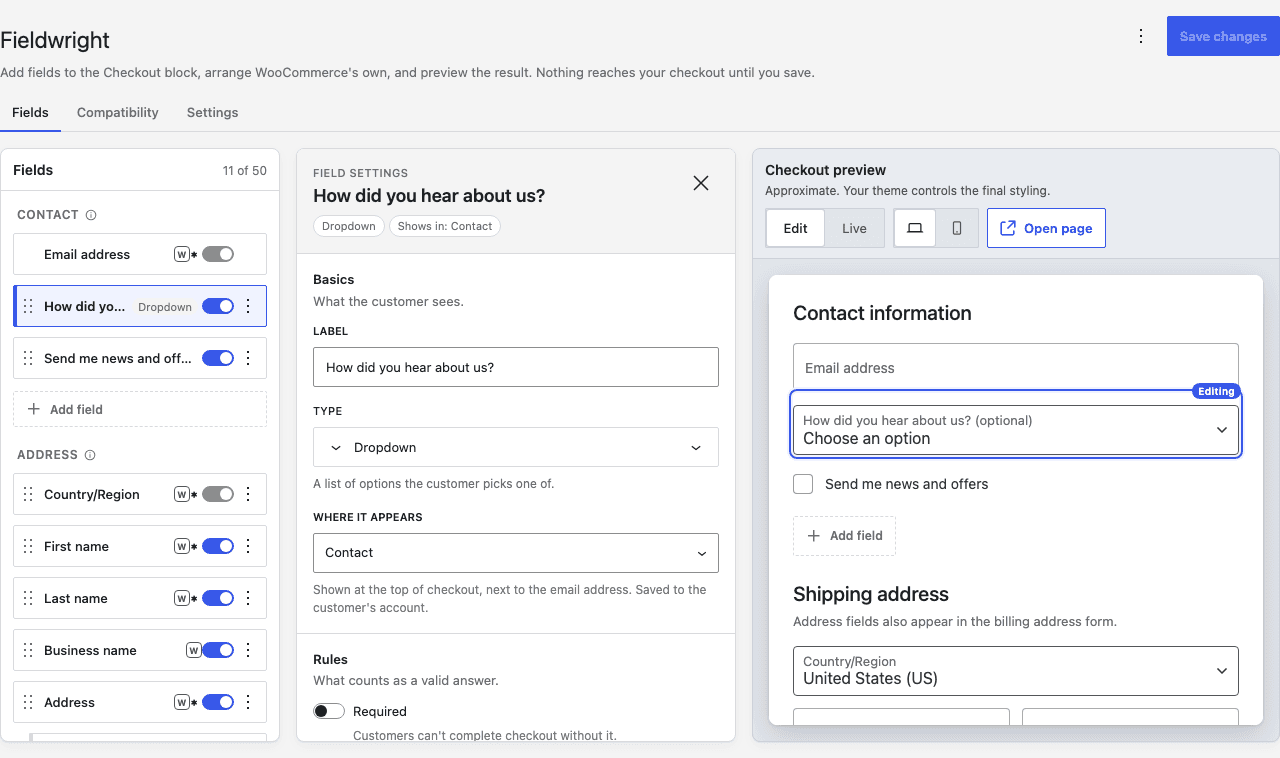
Rename them, switch them off, make them optional or required, and drag them into any order in the same list as the fields you add. An optional postcode really is optional, and the order goes through.
Moved to the WooCommerce Checkout block and your old field editor stopped working? Fieldwright was built for the block checkout from the start. Add the fields your store needs, arrange the ones WooCommerce ships with, and watch the page change beside you as you work. No code, and nothing reaches your checkout until you save.
Needs WooCommerce 10.0 or newer, WordPress 6.9 or newer, PHP 7.4 or newer. GPL v2 or later.
What it does
Rename them, switch them off, make them optional or required, and drag them into any order in the same list as the fields you add. An optional postcode really is optional, and the order goes through.
Text, choices, dates, times, long text, headings and notes, placed anywhere from the contact section to the order summary. A live preview of the checkout sits beside the editor while you build.
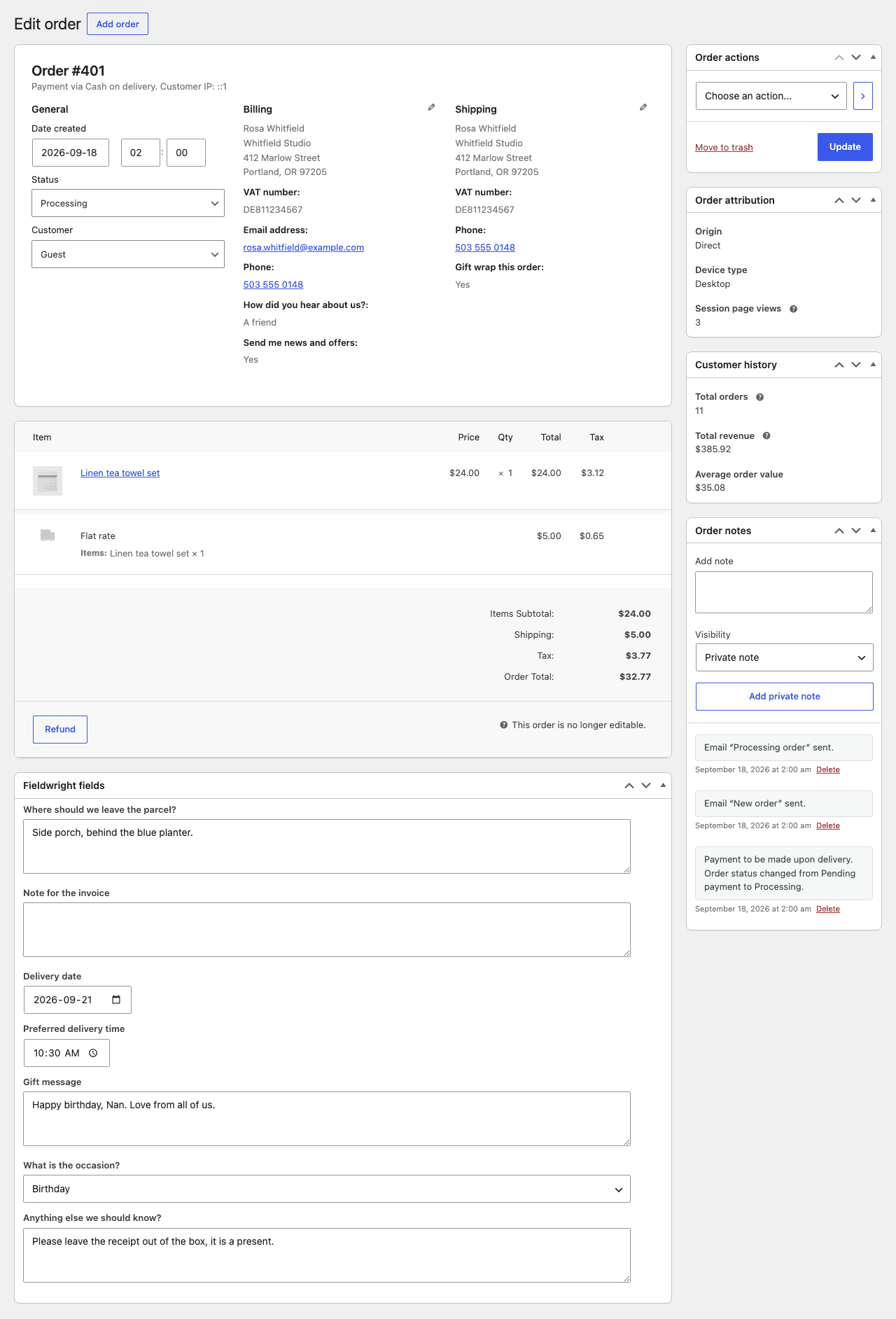
On the admin order screen, where you can also edit them. In the order emails. On the confirmation page. In the customer's order history. Each one can be switched off per field.
On the checkout
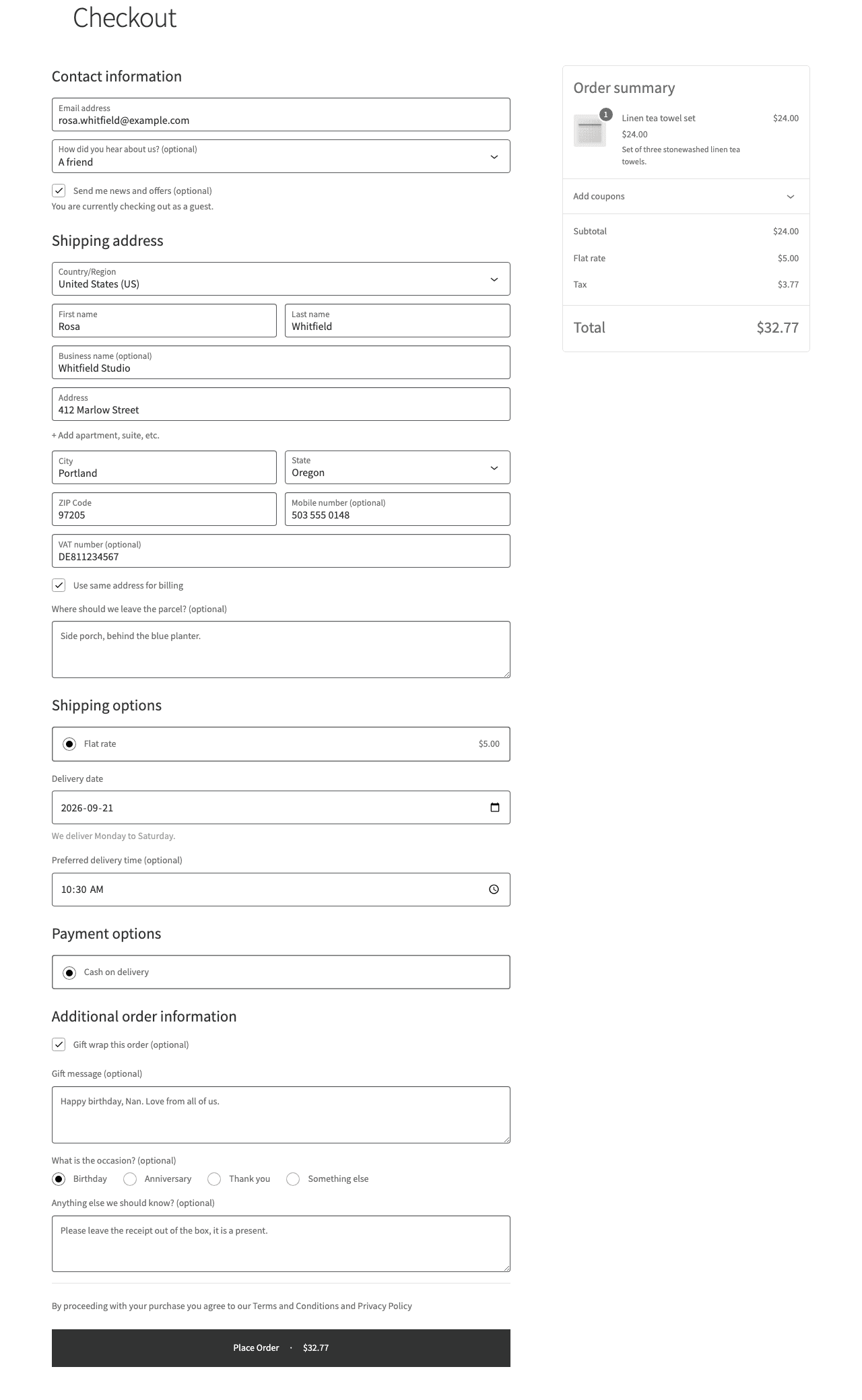
Fields land in the section you chose, styled by your theme. The order comes in with every answer beside the address.
What you can add
Every field can carry help text, a starting value and a half width layout. Ten ready made fields are one click away in the builder’s empty state.
Where fields go
A required field in one address form is only required while that form is on the customer’s screen, so it cannot block an order placed with the other one.
Fieldwright puts nothing in your dashboard except its own screen. The paid add-on is named in exactly one place: one line at the foot of the field type picker.
No tracking, and no request to any server of ours. Your configuration is one WordPress option; a customer's answer is stored on their order, and WordPress's own export and erasure tools reach both.
Built on WooCommerce's Additional Checkout Fields API, so the fields keep working through every WooCommerce update. Stores on the classic shortcode checkout will not see them; the Compatibility tab tells you which one you have.
Fieldwright Pro
Everything on this page is in the free plugin, in full. Pro is a separate add-on for the stores that need more: a file upload field, rules for when a field shows or is required, fees a checkbox can add, delivery time slots, CSV export, and answers on PDF invoices.